Using the black screen
- Click the black or press F. The page fills the whole display. After two seconds without movement the controls fade out and the cursor is hidden, so nothing but black is left.
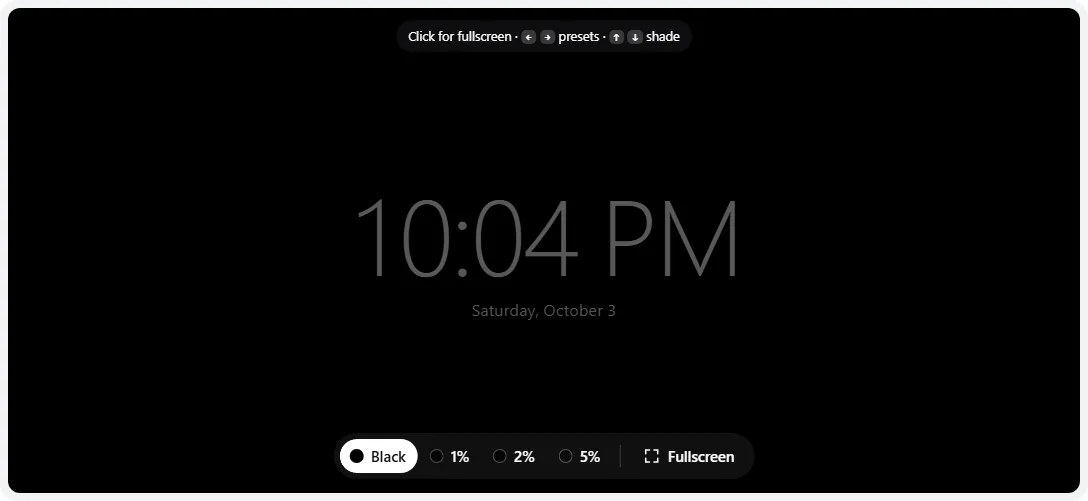
- Want a dim clock or a timer? Press C for the time and date, or T for a countdown (5 minutes by default; pick another length under the screen). The digits are a quiet gray so they don’t light up a dark room, and the timer chimes once when it ends.
- Leave with Esc or move the mouse and click Exit. On a phone, tap once to show the controls.
On iPhone, Safari can’t hide its own toolbars, so the black fills the browser window instead of the whole screen. Add the page to your home screen (Share → Add to Home Screen) and open it from there for an edge-to-edge black.
What a black screen is useful for
Cleaning the screen
Black makes fingerprints, streaks and the haze left by cleaning sprays easy to see — light reflecting off the grime is the only thing visible. Click Touch lock before you start on a touchscreen laptop, tablet or phone: the page goes fullscreen and ignores every tap, swipe and key until you press Esc or hold one finger still for three seconds. Wipe in straight lines with a dry microfiber cloth, then a slightly damp one for stubborn marks.
Checking backlight bleed, IPS glow and bright pixels
In a dark room, a black screen shows how much light leaks around the edges of an LCD. Bleed is a fixed bright patch, usually at an edge or corner; IPS glow is a hazy sheen that changes as you move your head. The backlight bleed test explains how to tell them apart and how much is normal. Black is also where stuck and hot pixels show up — any colored or white dot on black is a pixel defect; the dead pixel test helps you confirm and record it.
OLED near-black
The 1%, 2% and 5% presets (or the Shade slider) show very dark grays. On an OLED these are the hardest shades to reproduce: look for blotchy patches, vertical banding, a green or magenta tint, or the 1% field turning completely black (crushed). A little unevenness at 1–2% is common; the OLED test has finer near-black steps and moving tests for dark-scene smearing.
A dark screen while something keeps running
Fullscreen black is handy when you want the room dark but don’t want the computer to sleep — music playing from a laptop, a long download, a presentation break or a stream you are only listening to. In fullscreen the page holds a screen wake lock, so the display stays on (black) instead of timing out.
Bedside clock and focus timer
The clock overlay turns a phone, tablet or spare monitor into a dim night clock. The timer is useful for timed breaks, a short nap or keeping a talk on schedule. Lower the device’s own brightness to make the digits dimmer still. On an OLED, avoid running the clock in the same spot for many hours every night; static content is what causes burn-in.
Does black really save power?
It depends entirely on the screen technology:
| Display | What black does | Power saving |
|---|---|---|
| OLED (most flagship phones, OLED monitors and TVs) | Each pixel makes its own light; black pixels are switched off | Large compared with a bright screen; the brighter the screen was, the more you save |
| LCD (most laptops, office monitors, many TVs) | A backlight shines through the panel all the time; black only blocks it | Almost none — only lower brightness or switching the screen off helps |
| Mini-LED with local dimming | Zones behind black areas dim or switch off | Some, depending on how many zones are dark |
Research on OLED phones, including a study from Purdue University, found that dark mode saves a lot of power at full brightness but only a few percent at the moderate brightness most people use indoors. A black screen is the extreme case of the same effect.
Why “black” isn’t always black
- LCD glow: a dark-gray glow is how every LCD looks in a dark room. VA panels block more light than IPS panels, so their black looks deeper from the front.
- Brightness set too high on a TV or monitor: the Brightness (black level) control raises black itself. If black looks gray even in a lit room, use the brightness test to set it correctly.
- Limited vs full RGB range: if a PC is connected to a TV or monitor over HDMI and black looks washed out, the graphics driver and display may disagree on the RGB range (limited 16–235 vs full 0–255). Set both to the same value.
- Reflections: a glossy screen reflects the room. Turn off lights behind you before judging black.
Need the opposite? The white screen is a dimmable, warmth-adjustable light, and the any color screen fills the display with any color you choose.
Frequently asked questions
How do I make my screen completely black?
Open this page and click the black area or press F. The page goes fullscreen, the controls fade after two seconds and the cursor disappears. Every pixel is then sent pure black (RGB 0, 0, 0). Press Esc to leave.
Why does my black screen glow gray instead of looking off?
On an LCD the backlight stays on behind black, and the liquid crystals can’t block all of it, so black looks dark gray in a dim room — often brighter at the edges or corners. That is normal to a degree; see the backlight bleed test for what is and isn’t acceptable. OLED screens switch black pixels off completely, so they look identical to a powered-off screen.
Does a black screen save battery?
On an OLED screen, yes — black pixels draw essentially no power, so a black screen uses far less than a white one, especially at high brightness. On an LCD (most laptops and desktop monitors) the backlight uses the same power whatever the picture, so a black screen saves almost nothing; lowering the brightness or turning the display off does.
Will the black screen stop my computer from sleeping?
While it is fullscreen, the page asks the browser to keep the display awake (supported by Chrome, Edge, Safari and recent Firefox). That is useful when you want a dark screen while music or a download keeps running. If you want the display to go to sleep normally, exit fullscreen.
How do I turn off the display without shutting down the computer?
On a Mac, press Control–Shift–Power (or Control–Shift–Eject on older keyboards) to sleep the displays. On Windows there is no built-in shortcut: shorten the delay under Settings → System → Power & battery → Screen and sleep, use your laptop’s display-off function key if it has one, or press the monitor’s power button.
Is a black screen good for cleaning a monitor?
Yes. Fingerprints, streaks and film from old cleaner show up best on black, especially with a light source off to the side. Turn on Touch lock first on a touchscreen so wiping doesn’t click anything, and use a dry or barely damp microfiber cloth.
Last updated . Runs entirely in your browser — nothing is uploaded.