Why a website can’t detect flicker — and what works instead
Most flicker comes from PWM dimming: to make the screen dimmer, the backlight (on LCDs) or the pixels (on OLEDs) are switched fully on and off many times a second, and your eye averages the pulses into a lower brightness. That happens inside the display after the image leaves your computer, so a browser can’t see it. Your phone camera and your own eyes can, if you give them the right pattern.
Test 1: the phone camera method
- Set the screen to 30–50% brightness in its settings or on-screen menu. PWM usually only kicks in below a certain brightness, so also try 10–20% and 100%.
- Choose Solid → White and go fullscreen (F or click the test).
- Point your phone camera at the screen from about 30 cm (a foot) away, filling the frame. Look at the camera preview, not the screen.
- Dark horizontal bands moving or standing across the image mean the light is flickering. More, thinner bands mean a higher PWM frequency; a few thick bands mean a low frequency, which is the kind people are most likely to notice.
- If the preview looks clean, open the camera’s Pro / manual mode and set a shutter speed of 1/1000 s to 1/4000 s. Phones adjust their exposure to hide flicker in normal mode, and a fast shutter defeats that.
Some phones’ selfie cameras and the slow-motion mode show bands more readily. Bands on every screen you try, including ones known to be flicker-free, usually mean the room lighting is flickering — switch it off and try again.
Test 2: the pencil test
Show White fullscreen, hold a pencil or pen between your eyes and the screen, and wave it quickly side to side. Against steady light you see a smooth blur. Against PWM you see several separate, sharp pencil images, like a strobe photo — each one is a light pulse. The wider apart the images at the same wave speed, the lower the frequency. It works best in a dim room at a low brightness setting.
Test 3: the moving line
Switch to Line. A thin white line moves across a black screen at a fixed speed in pixels per second. Follow it with your eyes:
- No PWM: the line looks like one slightly widened band, with smooth edges. The band is as wide as the distance it moves per frame (shown under the test).
- PWM: the band breaks into several distinct copies of the line. The number of copies inside one band is roughly the PWM frequency divided by the refresh rate: four copies on a 60 Hz screen suggests about 240 Hz PWM.
- Backlight strobing (ULMB, ELMB, DyAc) shows a single sharp line — that is one deliberate flash per refresh, which is also flicker, at the refresh rate.
The same effect makes the mouse cursor leave a trail of separate copies when you move it fast on a dark background — a quick check you can do anywhere. Use ← → to change the line speed; faster speeds spread the copies further apart.
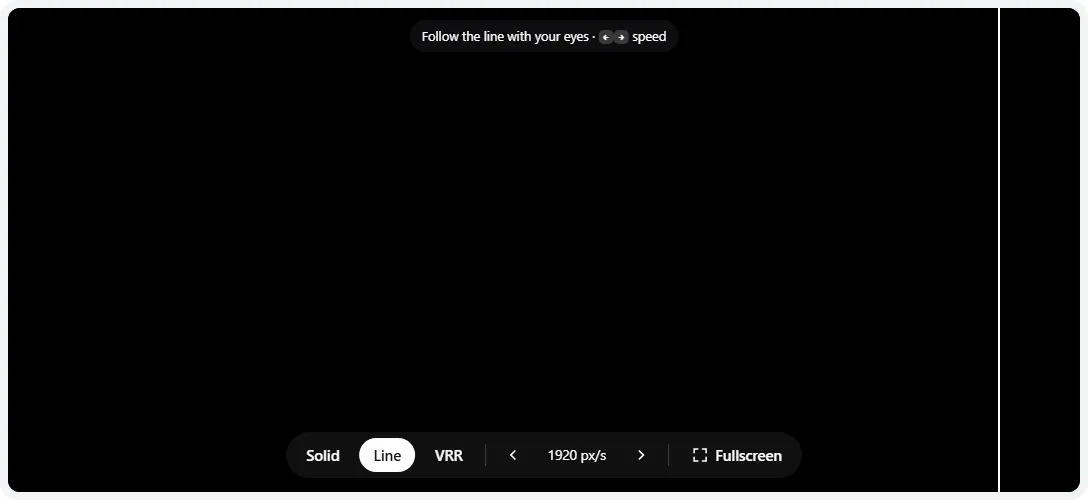
- 1Line speed in pixels per second. Use ← → to change it.
- 2Modes: solid levels, moving line, VRR flicker.
Test 4: near-black and VRR flicker (OLED and VA)
OLED and VA panels can flicker in dark grays even without PWM, for two reasons:
- Near-black flicker and dithering. Use Solid and step down to 10%, 5%, 3% and 1% gray in fullscreen, in a dark room. A faint shimmer, crawling noise or slow pulsing at these levels is normal on many OLEDs and is how they produce shades that dark. The OLED test has more near-black patterns.
- VRR flicker. With G-Sync, FreeSync or VRR on, the panel refreshes at whatever rate the frame rate dictates, and dark grays look slightly brighter or darker at different rates. When the frame rate jumps, so does the brightness. The VRR mode shows a dark gray screen and switches the frame rate between full and half speed every 1.5 seconds. If your screen pulses in time with the readout, VRR is engaging and causing flicker.
Browsers don’t always use variable refresh. Chromium-based browsers and Safari on ProMotion displays may adapt the refresh rate; on many setups a browser runs at a fixed rate and this mode won’t trigger VRR at all. A steady screen here doesn’t rule out VRR flicker in games — a game’s loading screen or menu with an uncapped frame rate is the best real-world test.
Reducing flicker
| Device | What to try |
|---|---|
| LCD monitor or laptop | Raise brightness: many PWM backlights run steady (100% duty) at or near maximum brightness. Then lower the perceived brightness with contrast or a darker theme instead. Look for “flicker-free” models that dim with DC. |
| iPhone | Settings → Accessibility → Display & Text Size → Reduce White Point, then raise brightness. Turning off Auto-Brightness can keep it out of the low range. |
| Android | Look in Settings → Display for anti-flicker, DC dimming or flicker-free dimming (names vary by brand). Extra dim lets you keep the panel brighter while the image looks dimmer. |
| OLED monitor / TV with VRR | Cap the frame rate a few fps below the refresh rate so it stays steady, enable the monitor’s anti-flicker option if it has one (ASUS calls it OLED Anti-Flicker), or turn VRR off for games with unstable frame rates. |
| Any screen | Rule out the room: LED bulbs with cheap drivers flicker too. Also keep the display at its native refresh rate — check it with the refresh rate test. |
When flicker is a fault
PWM is a design choice, not a defect — if it bothers you, the fix is a different screen, so use the return window. These, on the other hand, point to a fault:
- Flicker you can see without a camera, at any brightness, or that changes when you touch or move the cable.
- Brief black-outs or flashes of noise — usually the signal. Try a certified cable, another port, or a lower refresh rate.
- Flicker in one area only, or a backlight that pulses on a static image at full brightness.
- Flicker only at one refresh rate on a monitor that is overclocked or running a custom resolution.
For motion problems that look like flicker but aren’t — trails, smearing or double images behind moving objects — see the ghosting test.
Photosensitivity: the solid and line patterns don’t flash. The VRR pattern can make a screen flicker, so it only starts after you confirm, and it stops when you switch modes.
Frequently asked questions
How can I tell if my screen uses PWM?
Turn the screen’s brightness down to about 30–50%, show a white screen, and look at it through your phone camera. Dark horizontal bands rolling across the image mean PWM. If you see nothing, try the phone’s Pro mode with a shutter speed of 1/1000 s or faster, or wave a pencil in front of the screen: a row of separate pencil images means PWM; a smooth blur means no PWM.
Can a website detect screen flicker?
No. Flicker happens in the backlight or OLED driver, after the image leaves the browser, and a web page has no sensor to see light. Any site that claims to measure your PWM frequency in the browser can’t. This page gives you the patterns to make flicker visible to your camera and your eyes, and explains how to read what you see.
Is PWM flicker bad for your eyes?
Most people don’t notice it, but some people report headaches, eye strain or nausea from low-frequency PWM, especially at low brightness in a dark room. There’s no lasting damage known, but if you’re sensitive, a screen with DC dimming or very high-frequency PWM, and keeping brightness higher, usually helps.
Why does my OLED monitor flicker in games?
Usually VRR flicker. With G-Sync, FreeSync or VRR on, the refresh rate follows the frame rate, and OLED (and VA) panels show slightly different brightness at different refresh rates, especially in dark grays. When the frame rate jumps around — loading screens and menus are classic — the brightness pulses. Cap the frame rate so it stays steady, turn on the monitor’s anti-flicker option if it has one, or turn VRR off for that game.
How do I stop PWM flicker on my phone?
Keep the hardware brightness higher and dim the image another way. On iPhone, turn on Reduce White Point (Settings → Accessibility → Display & Text Size). Some Android phones have a setting called anti-flicker, DC dimming or flicker-free dimming in Display settings; Android’s Extra dim works in a similar spirit. Auto-brightness can push the panel into the flickery range in dim rooms, so try it off.
My screen flickers or goes black for a second. Is that PWM?
No — PWM is far too fast to see as distinct flashes. Visible flickering, blinking or black-outs usually come from the signal: a loose or low-quality cable, a refresh rate or resolution the cable can’t carry, a failing backlight, or a driver problem. Reseat or replace the cable, try another port, and lower the refresh rate to see if it stops.
What does “flicker-free” mean on a monitor?
It means the backlight is dimmed with steady current (DC) or a very high PWM frequency instead of slow on/off switching, so there is no visible flicker at any brightness. Independent reviews that measure PWM with a light sensor are the best way to confirm it for a specific model.
Last updated . Runs entirely in your browser — nothing is uploaded.